Negative Prompts for AI Images: What to Exclude and When
Learn when negative prompts help, how to write short exclusions, and what to do when your generator has no negative prompt field.
 Sumit Singh RathoreUpdated 3 min read

A negative prompt describes elements you want the generator to avoid, if the tool provides a separate exclusion control. Keep exclusions short and tied to an actual problem. When the tool has no negative prompt field, start by rewriting the main prompt as a clear description of the desired result.
Does every generator support negative prompts?
No. Controls differ by generator and model. A separate negative prompt field, if available, may affect generation differently from adding “no clutter” to ordinary prose. Check the interface you are using rather than assuming that a tutorial for another tool applies.
This is a general prompting technique. It is not a claim that every Zenoa AI style or generation flow has a dedicated negative prompt control.
Describe what you want first
For a clean mountain illustration, use a positive brief:
A single mountain peak above a still lake, broad simple shapes, clear sky, limited teal and cream palette, spacious minimalist composition
That gives the model a coherent destination. A long list of unwanted objects without a strong main prompt leaves the intended image underspecified.
If a result contains a specific recurring problem and your tool supports exclusions, try a small negative prompt such as “crowds, buildings, dense foreground detail.” Keep it relevant to that scene.
Which exclusions are worth testing?
| Problem observed | Positive rewrite | Optional exclusion to test |
|---|---|---|
| Busy background | Plain backdrop with broad quiet shapes | Clutter, crowds |
| Unwanted lettering | Unlabelled object on a plain surface | Text, lettering |
| Subject too small | Close view of a single subject | Distant shot |
| Too much decoration | Minimal composition with one focal point | Ornate borders |
These are experiments, not universal recipes. A term can be ignored, over-applied, or interact with other instructions. “No blur,” for example, may work against the shallow background focus you actually wanted.
A useful refinement loop
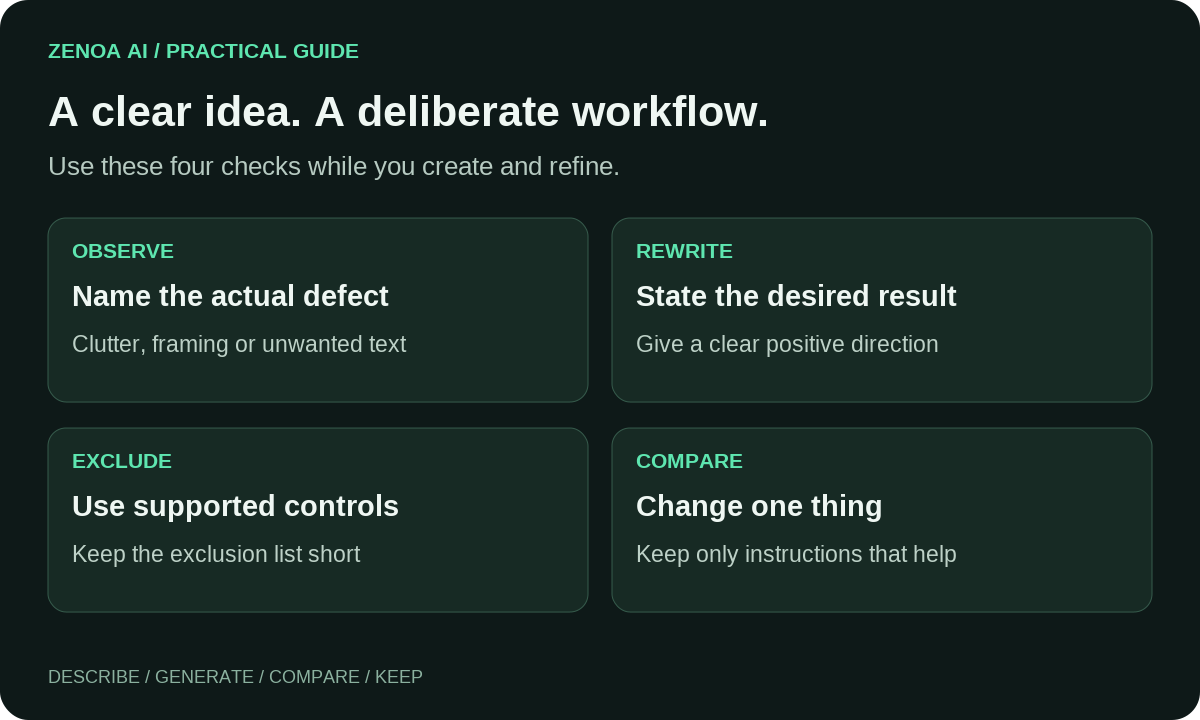
- Generate with a short, clear main prompt.
- Identify one defect that matters at the final viewing size.
- Make a positive rewrite that addresses it.
- If the tool supports exclusions, test one short relevant list.
- Compare the result and keep only changes that help.
Record what changed. If you rewrite the subject, style, ratio and negative prompt together, you cannot tell which instruction improved the image.
What negative prompts cannot promise
Exclusions are not a reliable repair tool for precise anatomy, exact lettering or strict object counts. A generator can still make the same mistake. For those cases, simplify the scene, choose another composition, regenerate, or edit the result in a suitable image editor.
The common AI image problems guide provides a symptom-by-symptom approach. For the main prompt itself, use our prompt-writing formula before adding more constraints.
Frequently asked questions
Where do I put a negative prompt?
Use the separate negative prompt field only if your generator provides one. If it does not, rewrite the main prompt to state the desired subject, background and composition clearly.
Do negative prompts always improve an image?
No. Irrelevant or conflicting exclusions can make a result worse. Test a short list against a specific observed problem.
Can a negative prompt guarantee correct hands or readable text?
No. It may influence a result, but it does not guarantee precise anatomy or typography. Simpler composition, regeneration or manual editing may still be needed.